
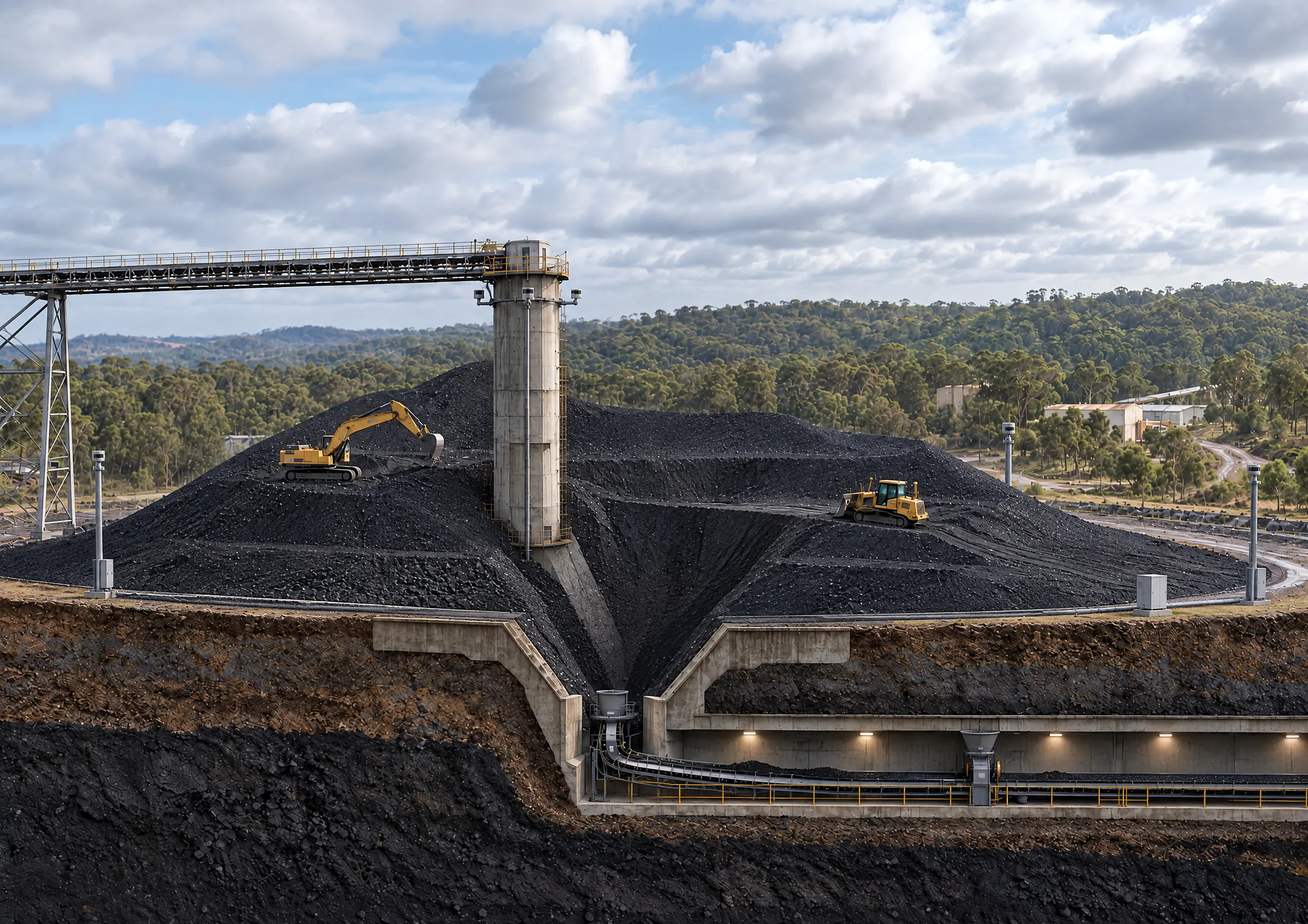
Stockpile terrain awareness Stockpiles always change. Keep it in view.
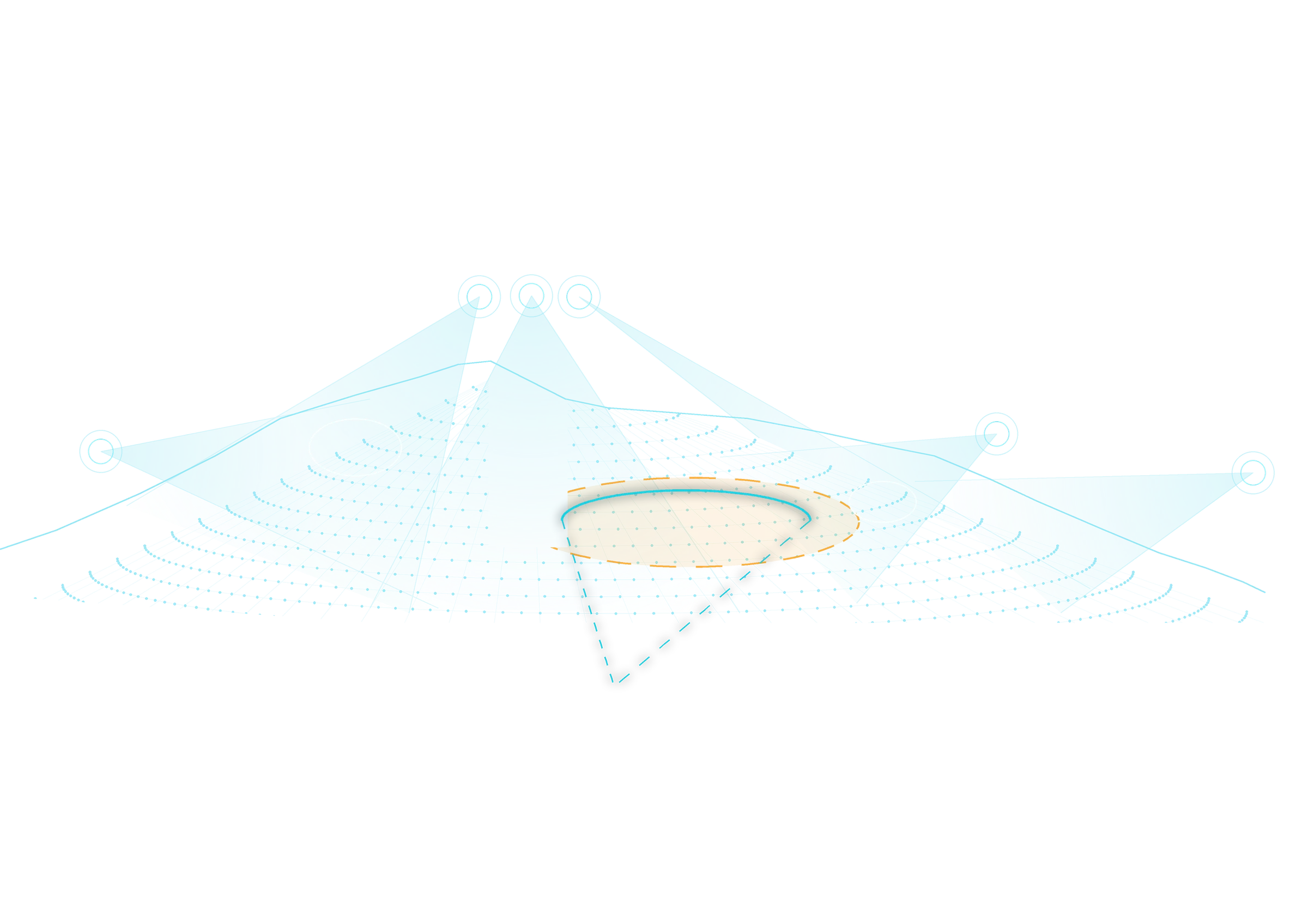
Bigmate’s Stockpile Terrain Awareness uses fixed LiDAR to create a 3D model that combines edge detection, no-go zones and machine orientation to help operators work more safely on the stockpile, with constantly updated stockpile volume calculations to support better production decisions.
A changing surface. A real-time shared view.
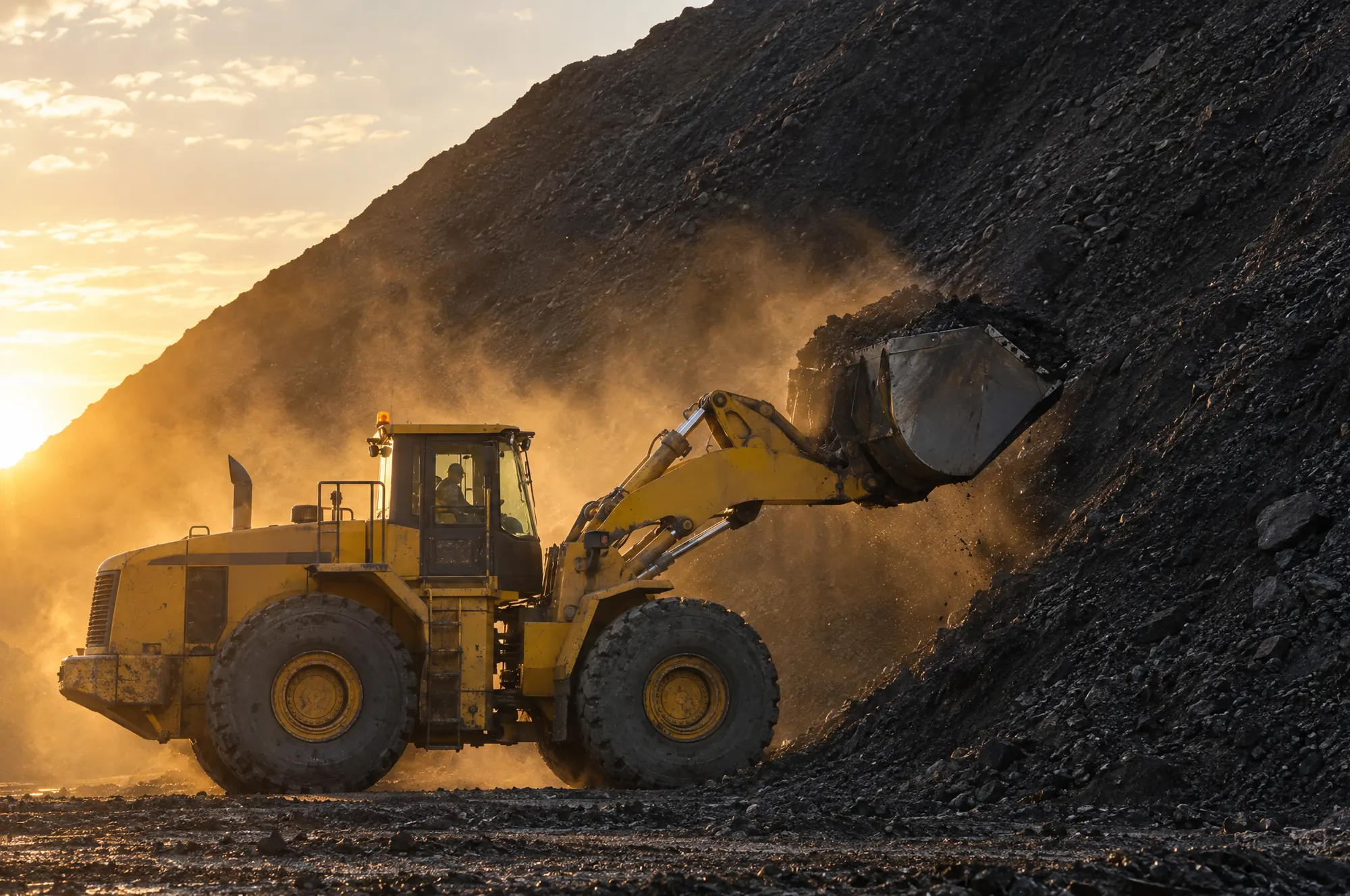
Dozers push coal across the pile while feeders draw it out underneath. Voids open over the feeders and the edges move through the shift. From the seat, the blade and the face of the pile hide the ground just ahead.
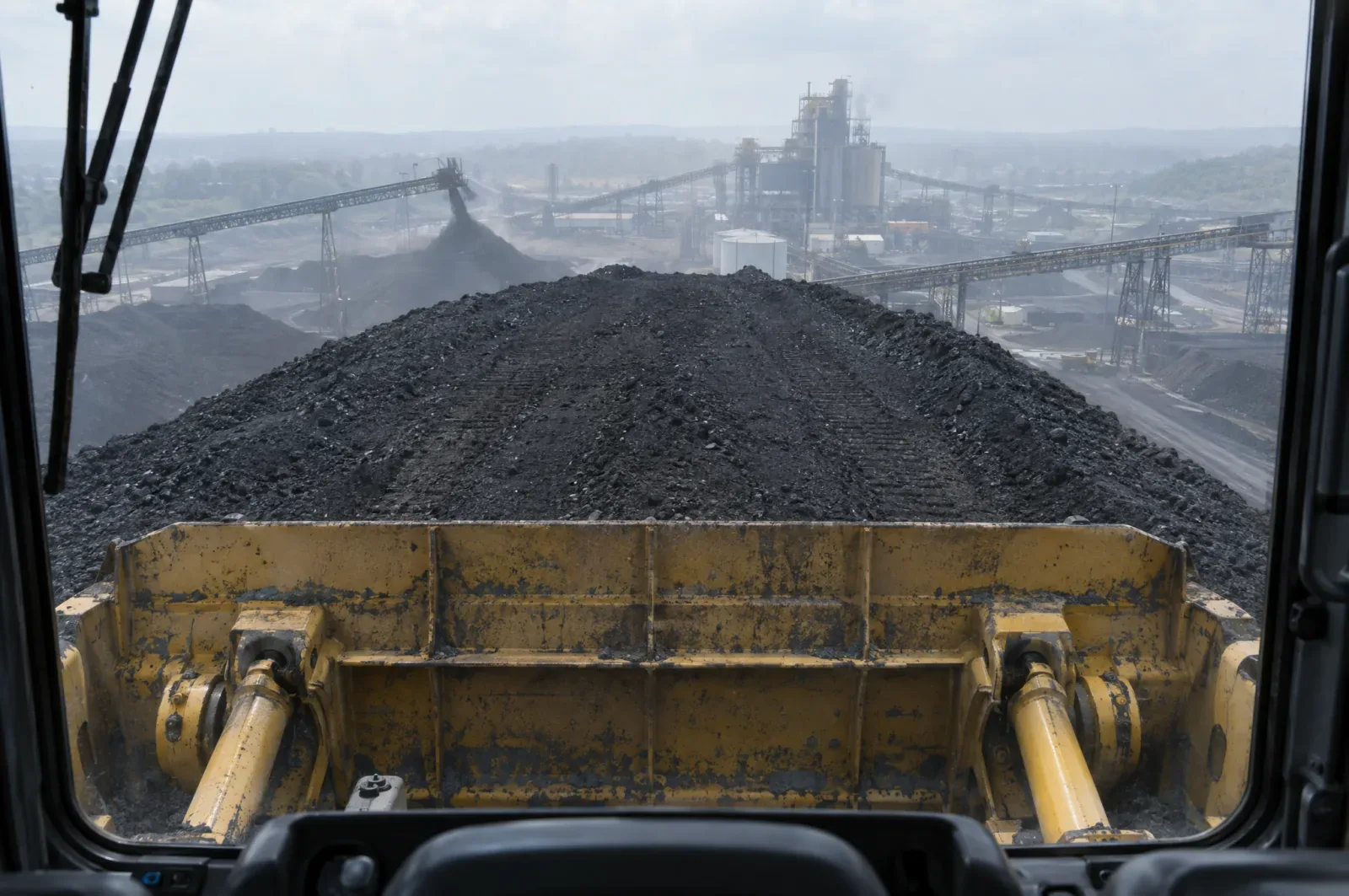
A survey is a snapshot.
A drone flight or a survey shows the pile as it was. By the next shift, reclaim and dozing have changed it.
Rules depend on knowing where the void is.
Exclusion areas and spotters only work when someone can see where the ground has changed.
Sensors on one machine see for one machine.
Each dozer would need its own system, and each would still see only its side of the pile.
The operator sees the ground the model sees.
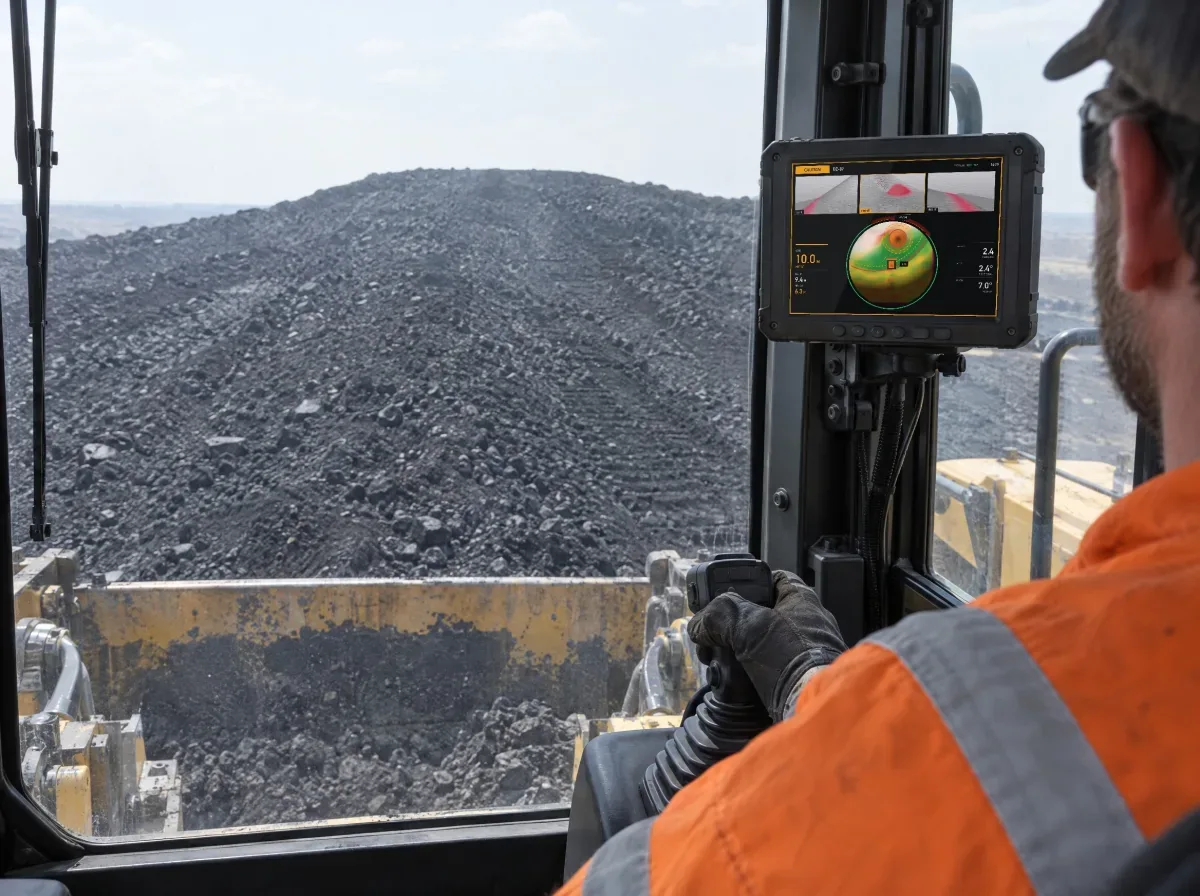
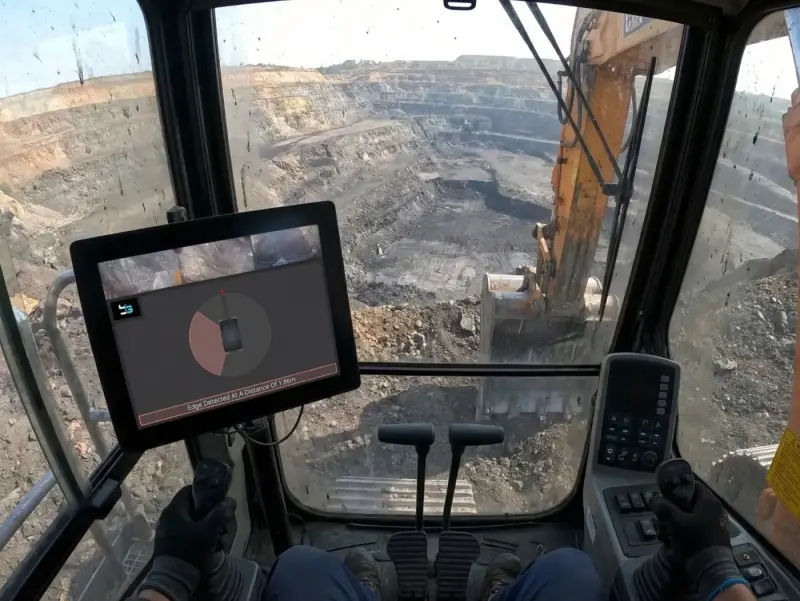
The display in the cab is built from the shared model, so it shows the ground ahead of, beside and beneath the machine, with the distance to each hazard.
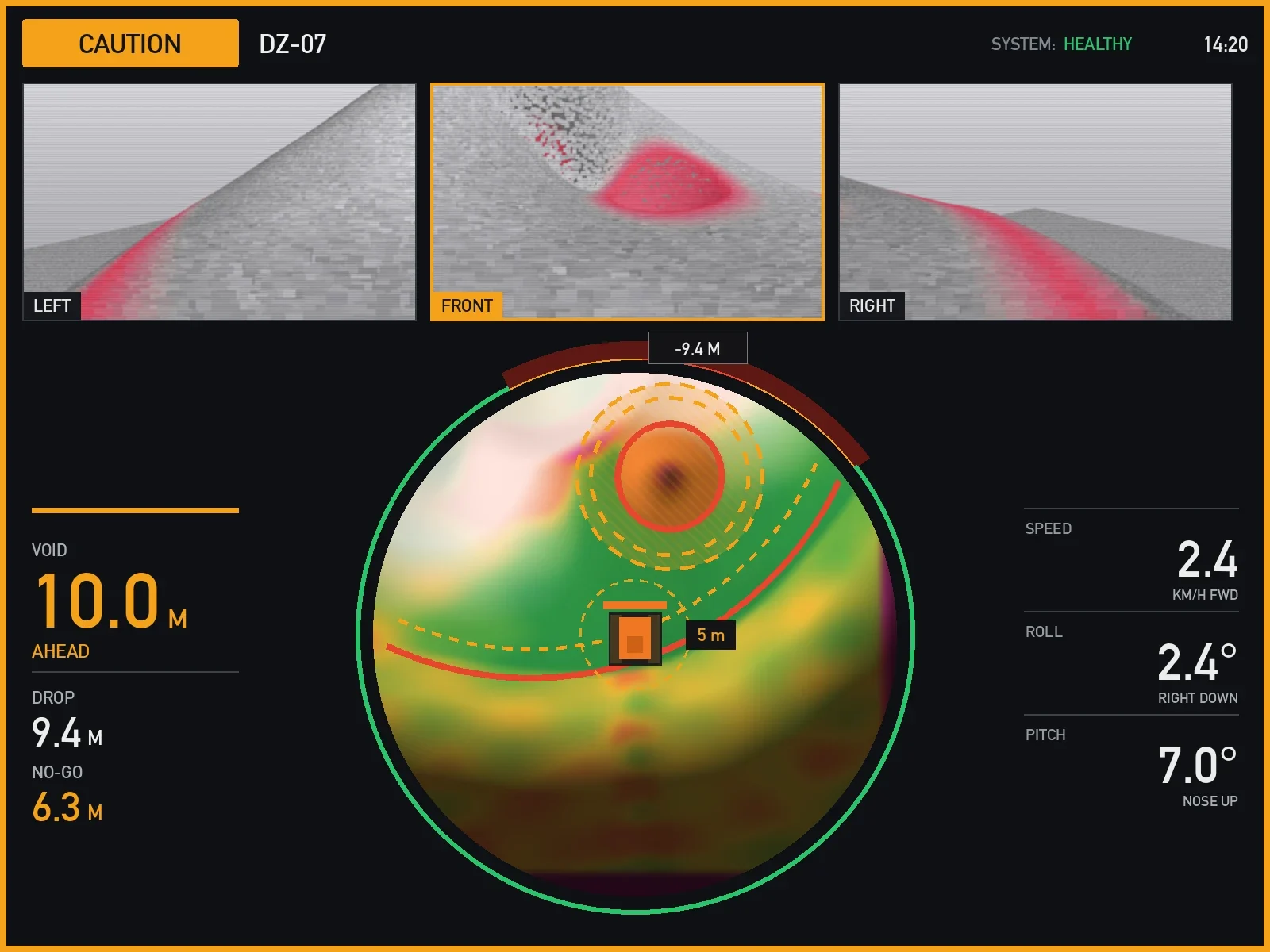
1Three views from the model
Left, front and right of the machine, drawn from the shared model, with the void ahead marked in red.
2The hazard, measured
How far ahead the void is, how deep the drop and how far to the no-go zone.
3The ground in plan
The machine at the centre, with edges traced, voids marked and no-go zones hatched.
4The machine’s own state
Speed, roll and pitch, beside its heading on the plan.
Operations see the whole pile, as it changes.
The same model on the screen in the site office: every machine and where it has been, the no-go zones, and the coal in the pile.
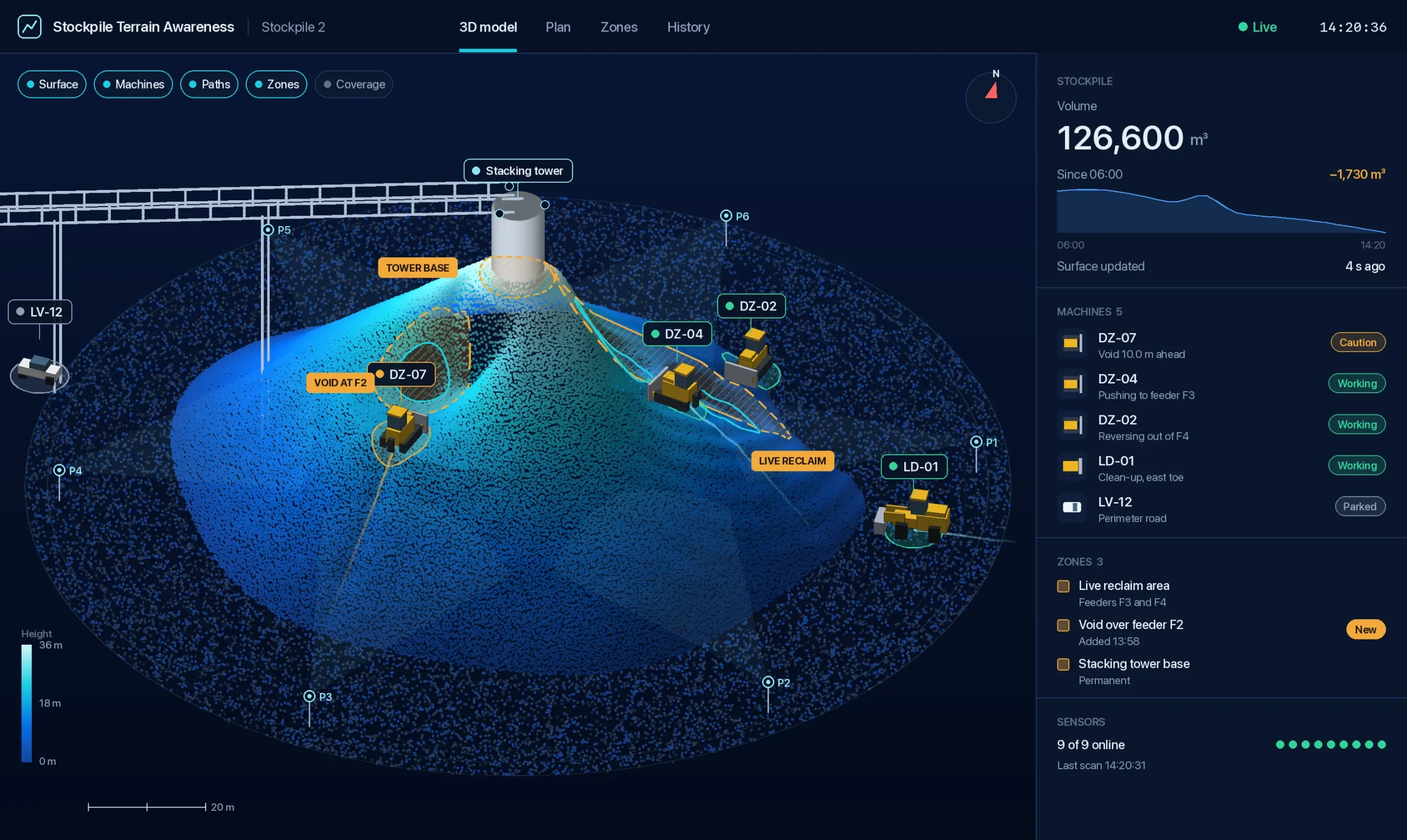
1The pile in 3D
The surface from every scan, with the tower, the conveyor and the sensors placed on it.
2Machines and their paths
Each machine with its ID and status, and the ground it has just covered.
3The no-go zones
The live reclaim area, voids and the tower base, tagged on the model and listed beside it.
4The coal in the pile
The volume, and how much it has changed since the start of the shift.
Example screens. The figures are from a sample stockpile, and what each display shows is set up for your site.
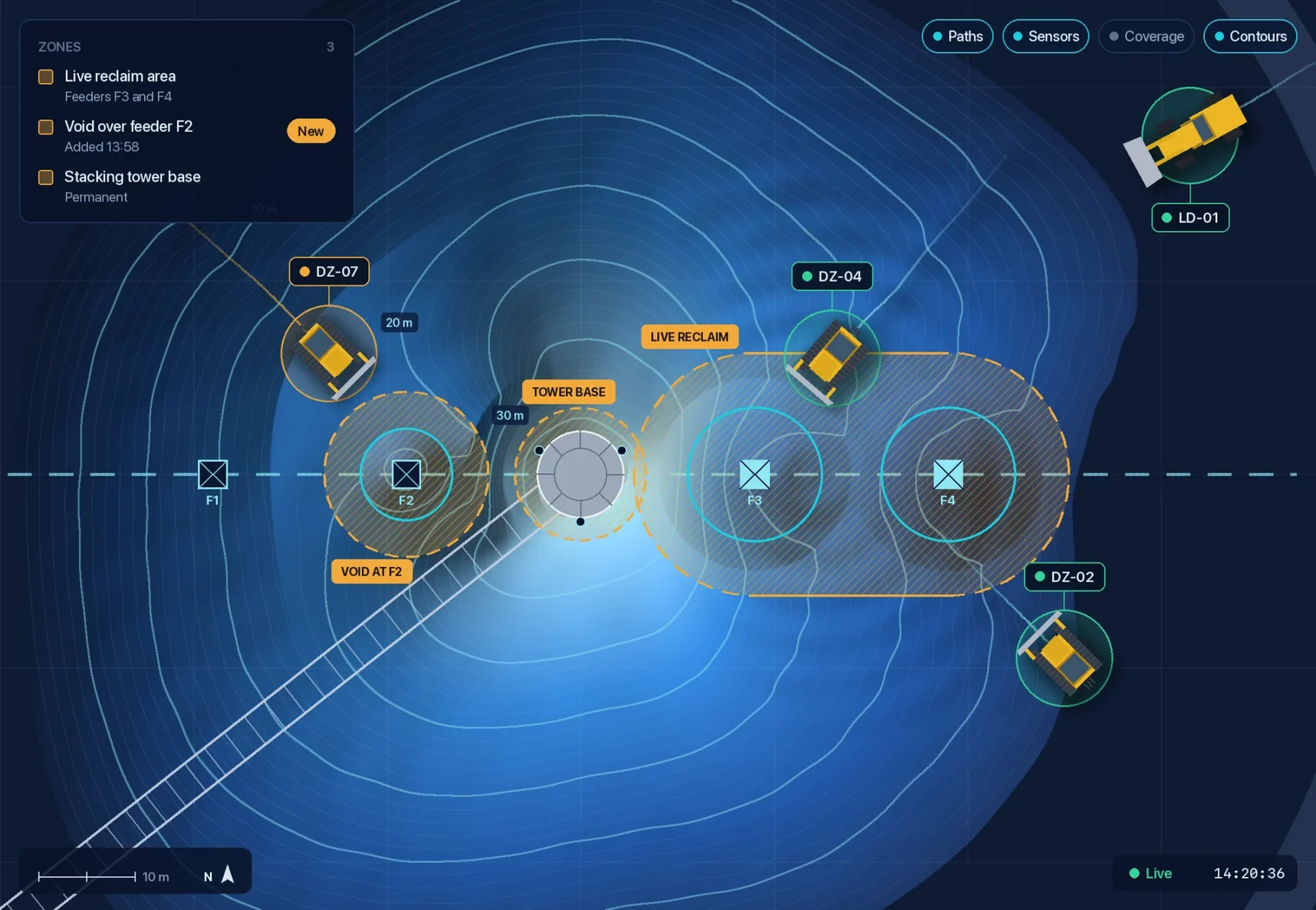
Your site sets the no‑go zones. Every operator sees them.
Draw them around live feeders, voids, the tower base or anywhere else that is off limits. They sit on the model, so they show in every cab and on the office screen, with the distance to each.
We agree the alerts for each zone with you when we scope the site.
Both views come from one network on site.
No LiDAR on the machines. One model of the pile, built on site and shared by every machine on it.
-
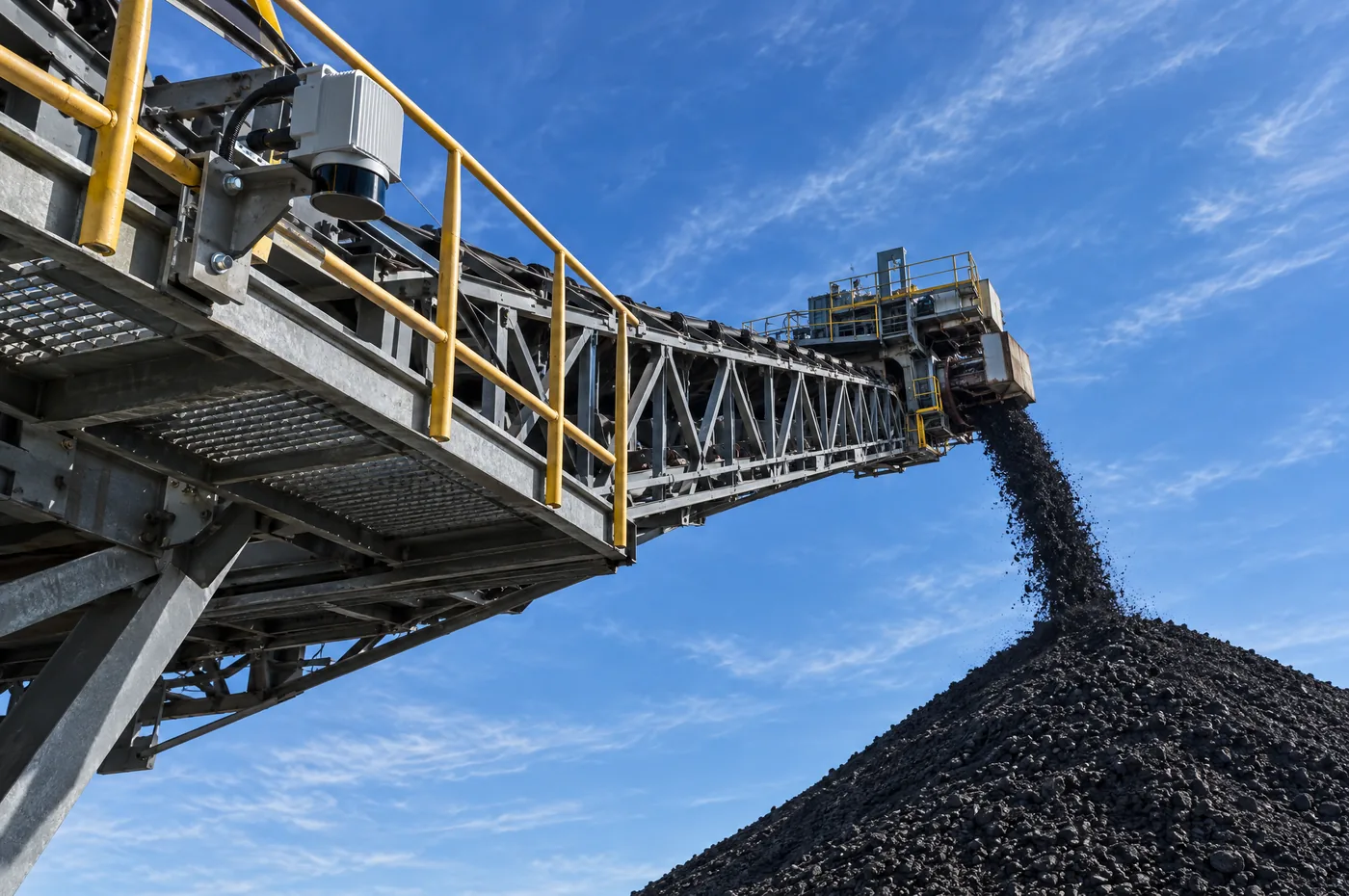
01
Scan
LiDAR mounted high on the tower or stacker, and on posts around the pad, scans the pile from several angles, so no single sensor has to see every face.
-
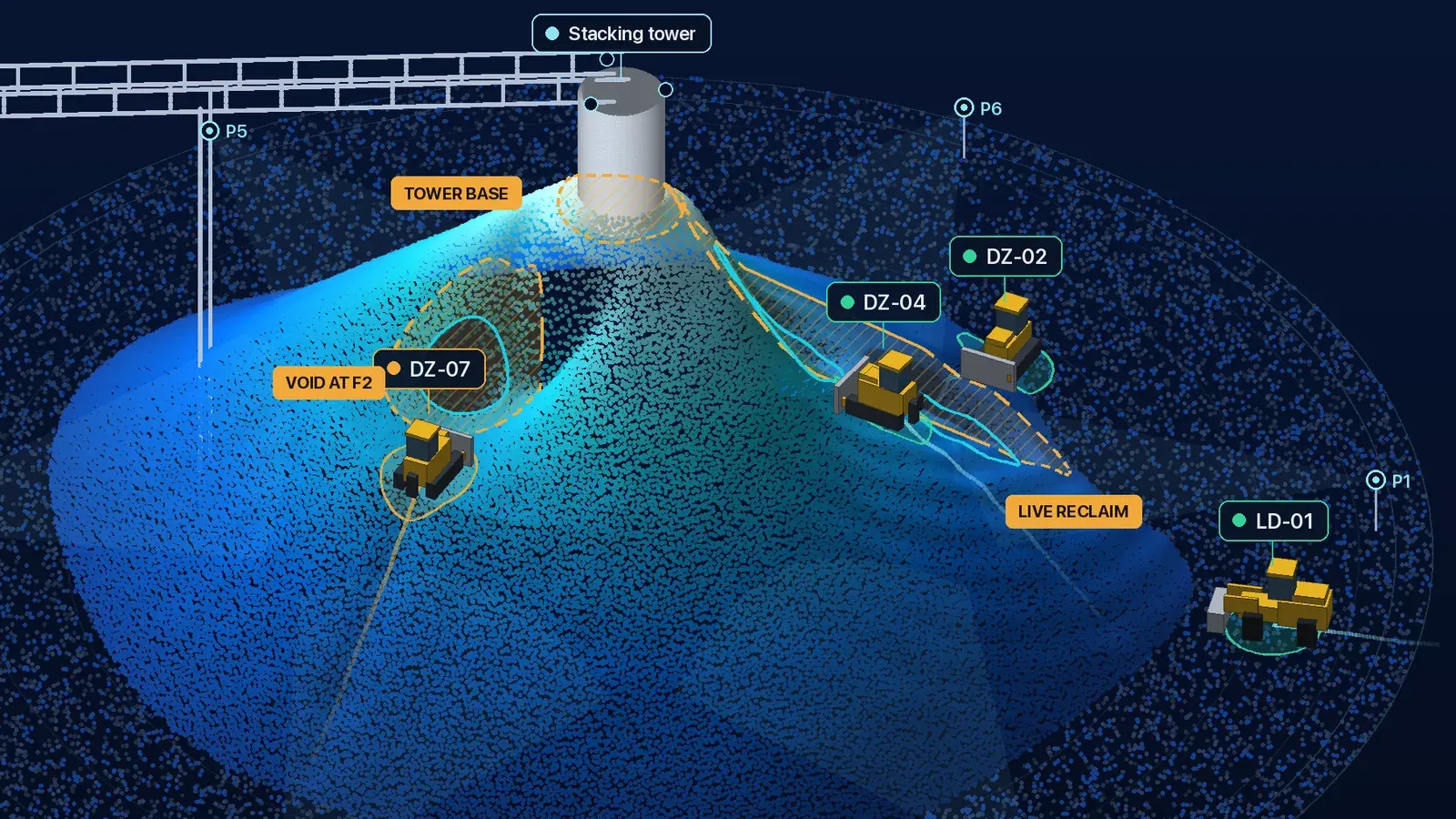
02
Model
A computer on site turns every scan into one 3D model of the surface: the edges, the voids and the coal in the pile.
-
03
Show
It shows each machine the ground around it.
A dedicated wireless link sends each machine its own view of the model, matched to its position and heading. Operations see the whole pile.
- Marks the voids and edges around the machine, with the distance to each
- Hatches the no-go zones your site sets
- Shows operations each machine and its recent path
- Tracks the coal in the pile as it changes
- Takes intervention in the machine as an add-on, scoped for your site
What is stockpile terrain awareness?
A LiDAR stockpile monitoring system. Fixed LiDAR around the stockpile keeps a real-time 3D model of its surface, and each machine on the pile is shown the ground around it. Operators see the voids, edges and no-go zones near their machine, and operations see the whole pile and its volume.
Does every machine need its own LiDAR?
No. The LiDAR is fixed around the stockpile and shared. Each machine gets its view over a dedicated wireless link, with its position and heading matched to the model. We work out what each machine needs when we scope the site.
Can we set zones around reclaim openings?
Yes. Your site sets no-go zones around reclaim openings and any other restricted area, and every operator sees them. We agree the alerts for each zone with you when we scope the site.
Which machines can take part?
Dozers, excavators and the other machines that work the pile. We work out what each one needs when we scope the site.
What do you check before installing it?
We scope coverage for the areas your site needs covered, and check sensor mounting points, power, network routes and machine positioning.
Can the operations team use the same model?
Yes. They see the whole stockpile in 3D, where each machine is and has been, the no-go zones and an estimate of the volume.
How does it calculate stockpile volume?
From the same 3D model the operators use. Every scan updates the surface, and the volume of coal in the pile is calculated from it, so the figure stays current as the pile is dozed and reclaimed.
Keep the ground in view.
Tell us how your stockpile is laid out, which machines work on it and what your operators need to see.